A macOS-like multi-column file manager.
While reading a tutorial, I accidentally noticed macOS’s multi-column file browser is pretty handy (in certain situations).
So I looked for something similar on Linux.
I found Pantheon Files.
Install
sudo add-apt-repository ppa:elementary-os/stablesudo apt updatesudo apt install pantheon-filesIt looks roughly like this:
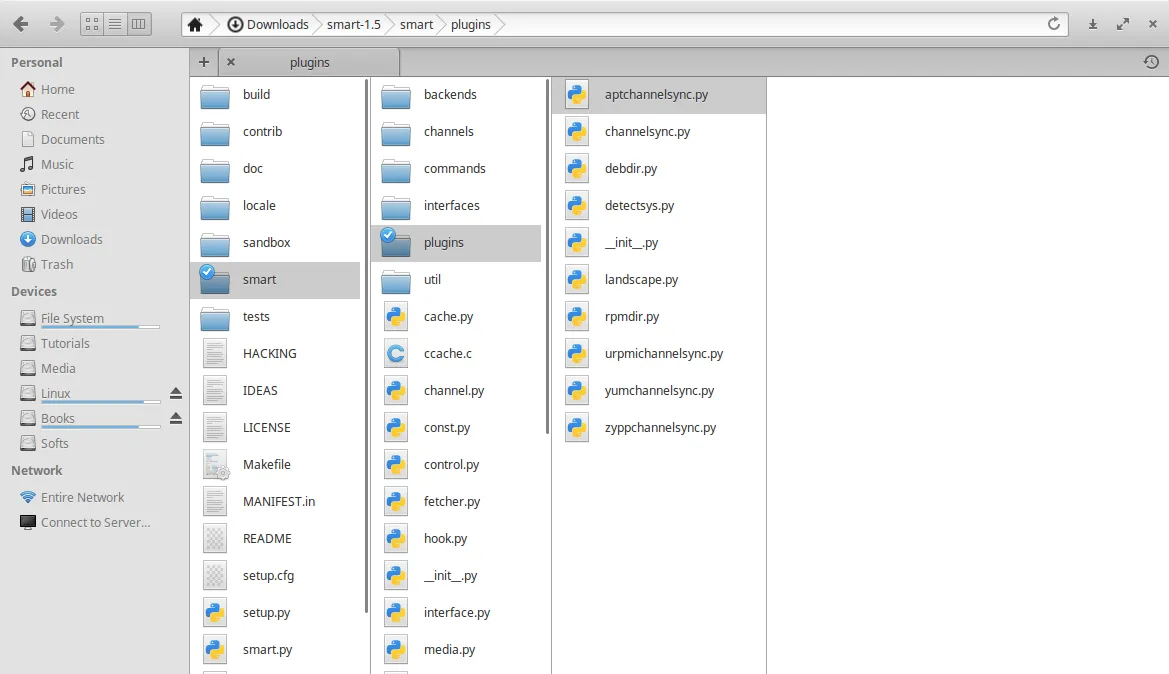
Screenshot from StackExchage - Is there a file manager with Mac Os like column view for Linux?
Config
The UI doesn’t have a place to configure options (maybe because it’s a different distro?).
I searched how to change single-click-open to double-click.
The recommended way is to use GSettings:
gsettings set io.elementary.files.preferences single-click false
If you type gsettings set io.elementary.files.preferences and then press Tab twice, you can see other options, but there aren’t many you can tweak.
References
StackExchage - Is there a file manager with Mac Os like column view for Linux?
StackExchage - Configure Files to use double click
Comments