These days I needed to buy some things, but I don’t have a foreign-currency credit card, so I could only use PayPal. I heard their exchange rate is a rip-off, so I looked it up, and yep, it is. I quickly changed my account settings.
I followed this post: PayPal 更换汇率结算方式 降低手续费
The exact steps have changed slightly:
-
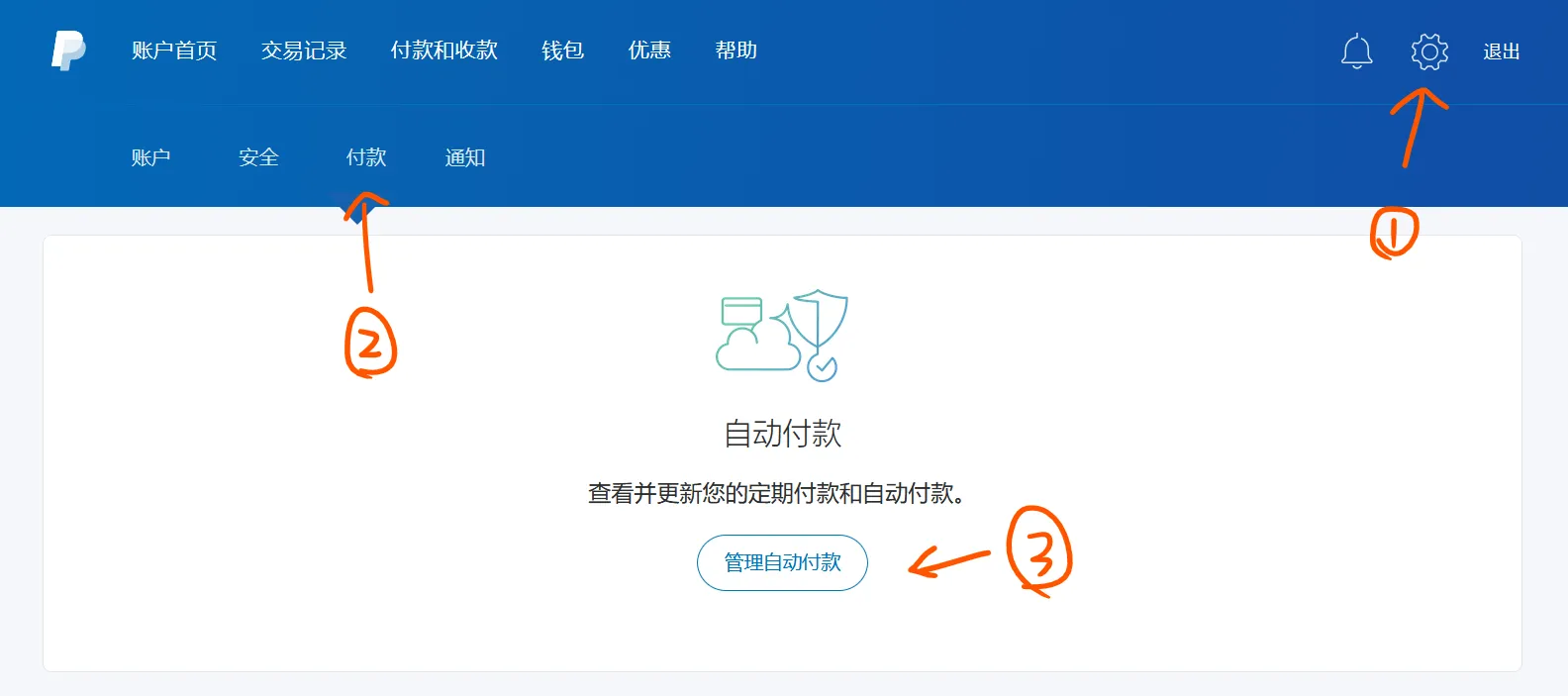
First, click
Settings (gear icon)at the top-right of the home page, then clickPaymentson the second row, thenManage automatic payments
-
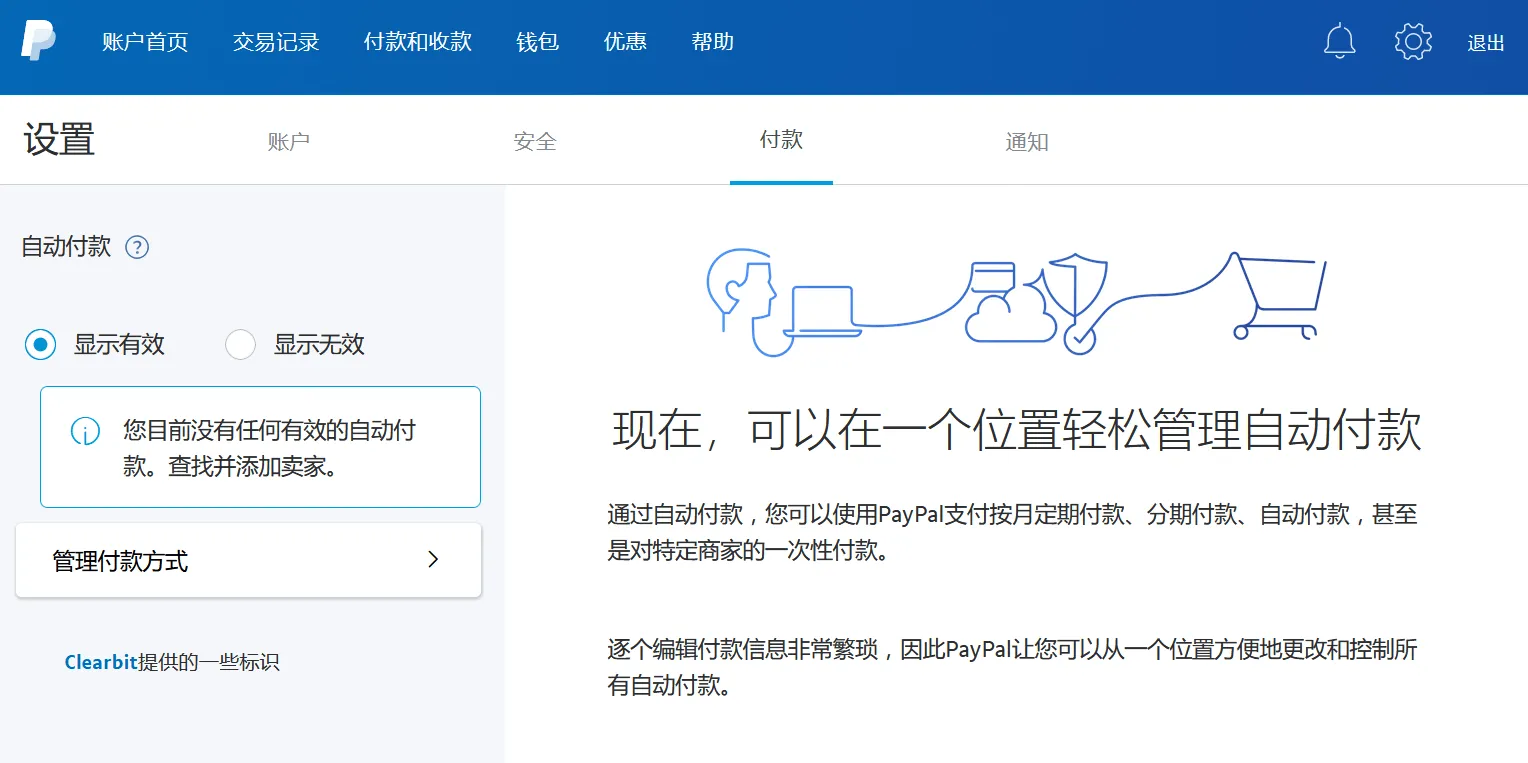
Click
Manage payment methodson the left
-
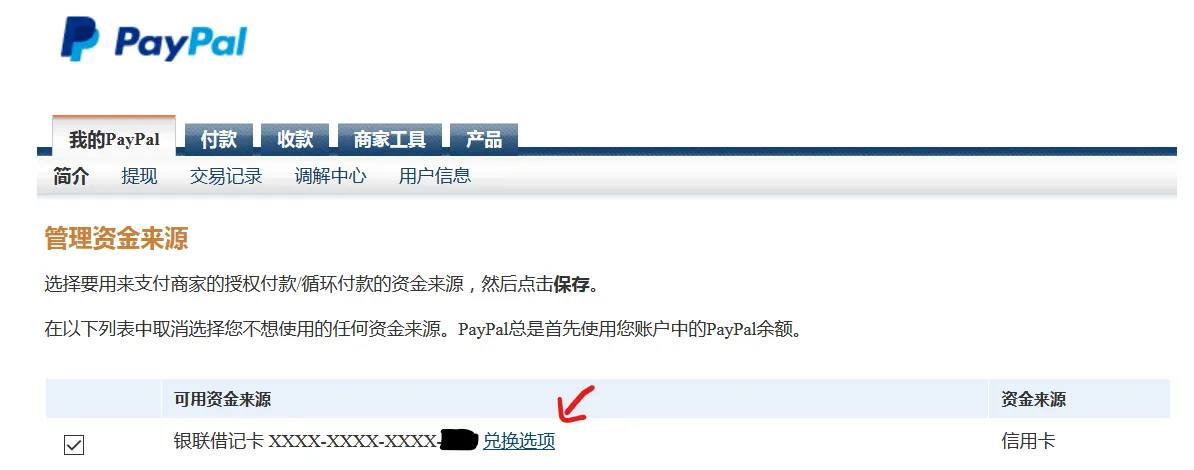
Click
Conversion Optionsnext to your card
-
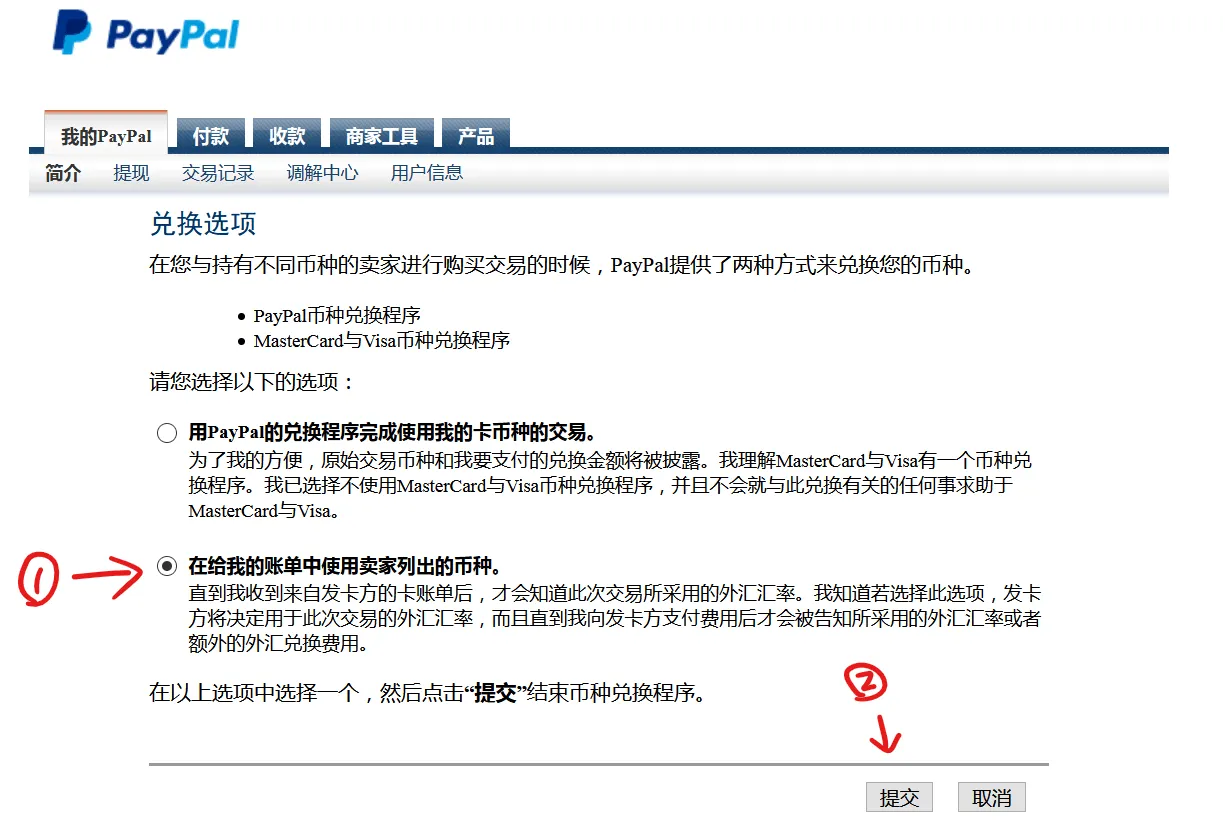
By default PayPal uses the first option, their own conversion service, which skims a bit off you.
Switch to the second option:Use the currency listed by the seller.
Then clickSubmit.
Do this for every card.
After changing it, PayPal bills no longer show an exchange rate, only the amount in the foreign currency.
(I checked an old bill: around 07/13 this year, the exchange rate was about 6.87, but PayPal charged 7.13. What a scam.)
Comments