When modeling in Blender, the Knife tool may sometimes create duplicate vertices. For example, the four vertices pointed to by the arrows in the image below: if you move one vertex, you’ll notice there’s another vertex underneath it.
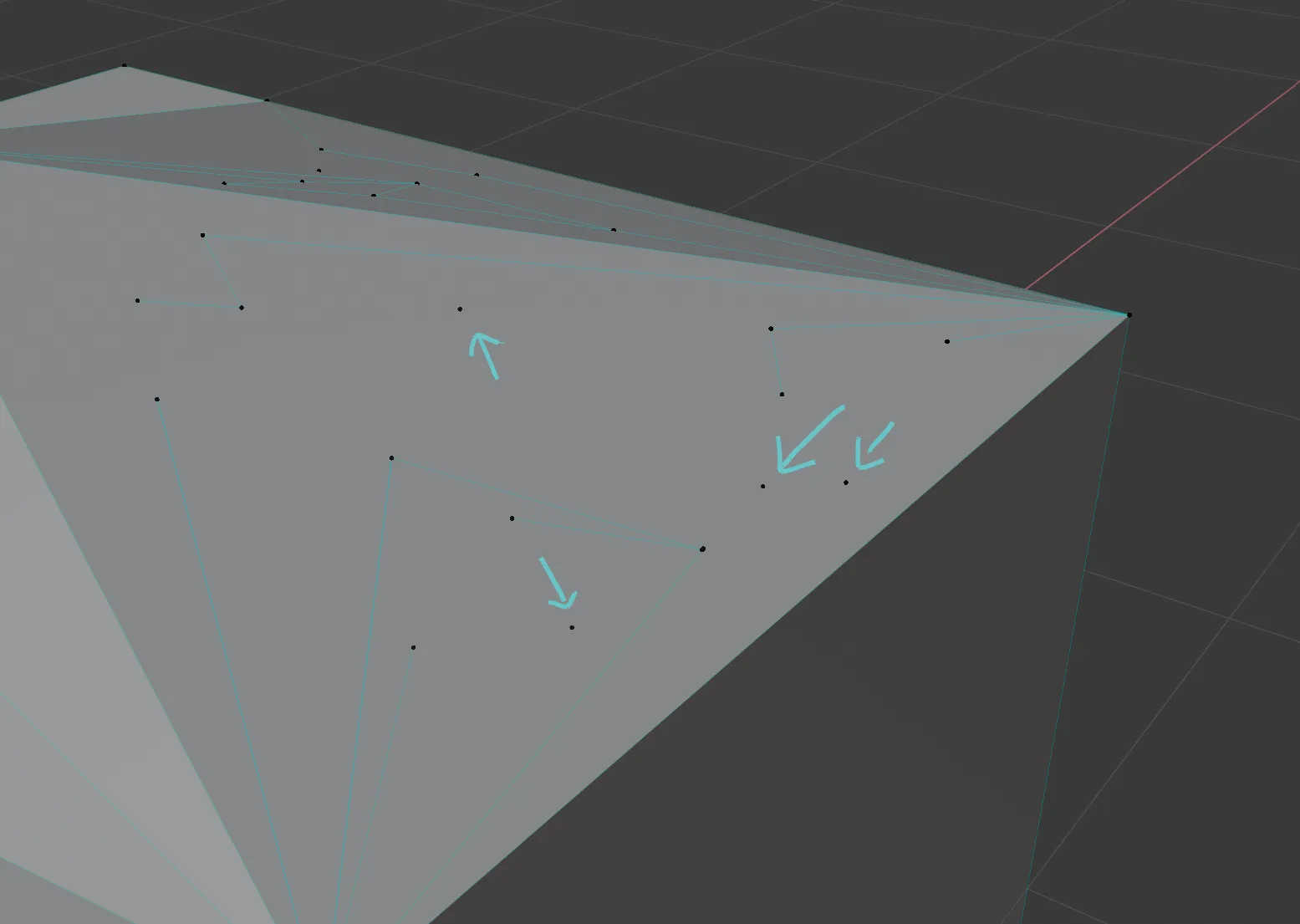
These duplicates get in the way, so I searched online.
It turns out the manual mentions this issue too - Knife Tool
The manual says duplicate vertices can happen when the Clip Start/End values are too extreme. You can try increasing Clip Start.
I did tweak the near clip distance before, and had set it to the minimum.
This time I didn’t dare to set it that low. Blender’s default is 0.1m; I set it to 0.05m. If needed, I can reduce it a bit later.
After changing it, I tested briefly and haven’t seen the issue again (so far).
Comments