This post introduces a tip for quickly switching languages in Blender. The method comes from BlenderCN发布点 【Blender小技巧】001_快速切换语言对比学习.
- Create a new area somewhere you like in the UI. For splitting/merging, see the Chinese manual: 用户界面>>>区域>>>拆分/合并
For example, I pulled out an area under the Outliner.
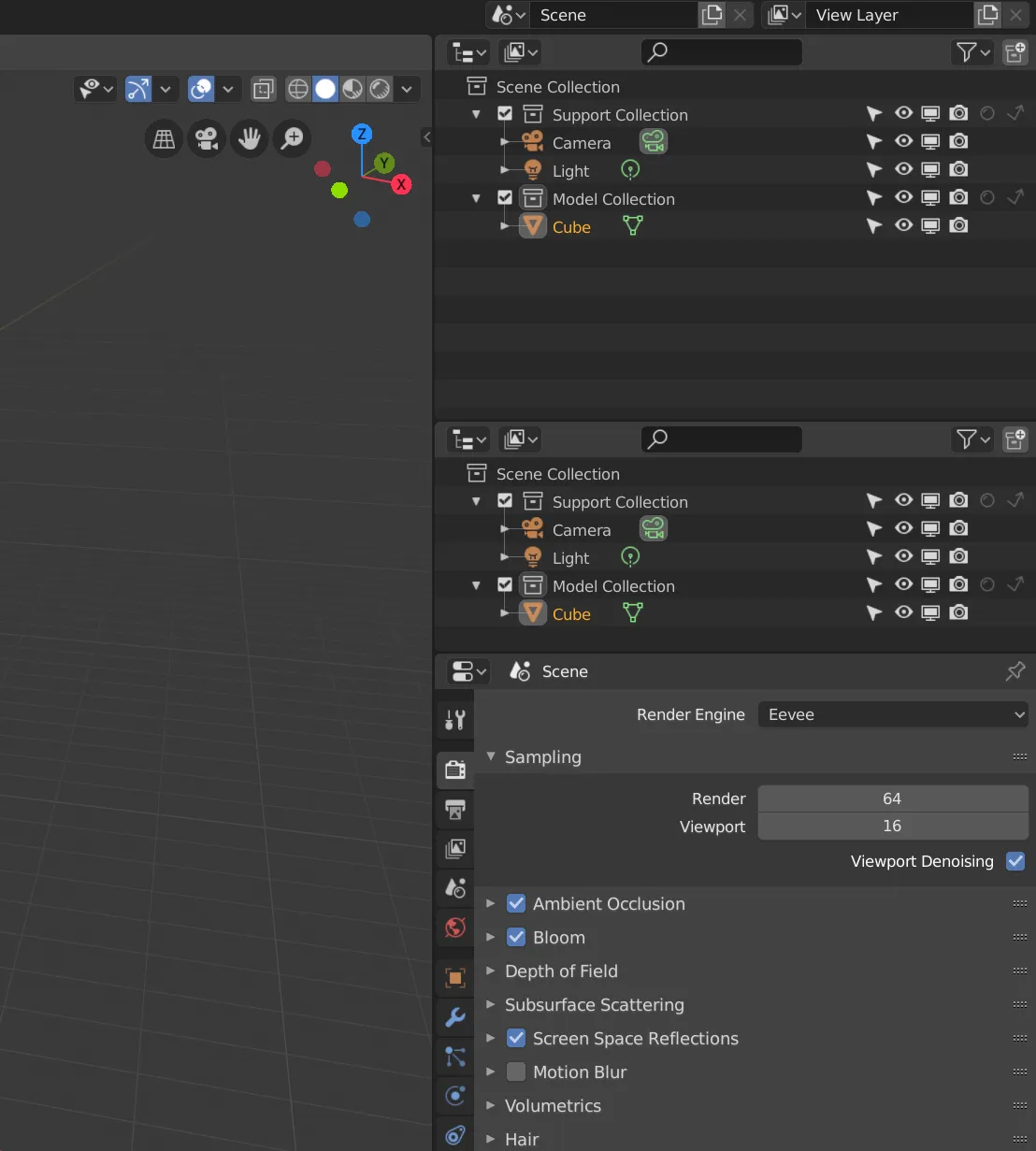
- Change this area to User Preferences.
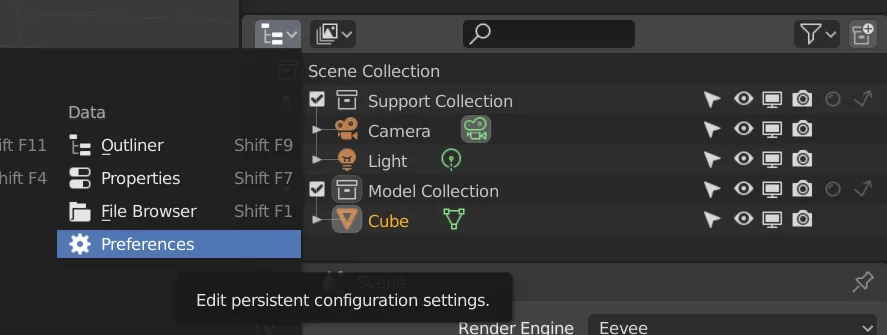
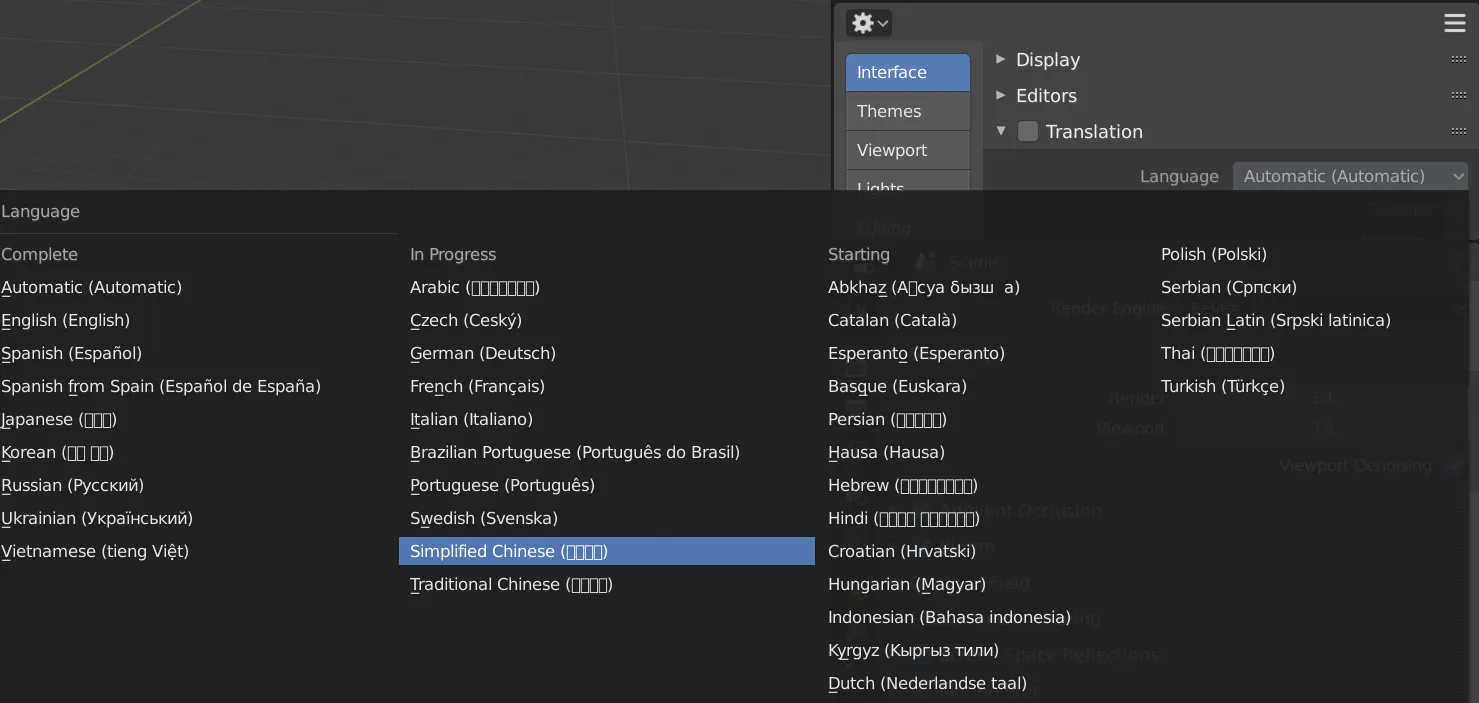
- Under
Interface >>> Translation, setLanguagetoSimplified Chinese.
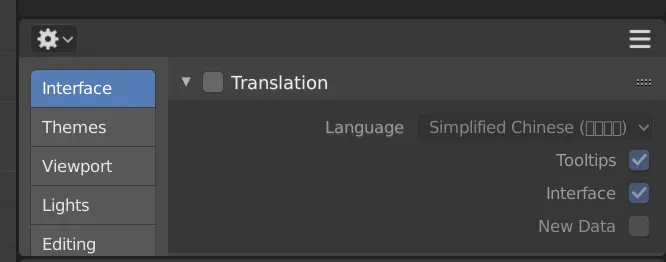
- Check
InterfaceandTooltipsso Blender translates the UI and tooltips. Do not checkNew Data(it can cause issues).
Then you can collapse the translation menu and resize the area smaller so it doesn’t get in the way.
- Click
Translationonce to enable translation (Chinese UI).
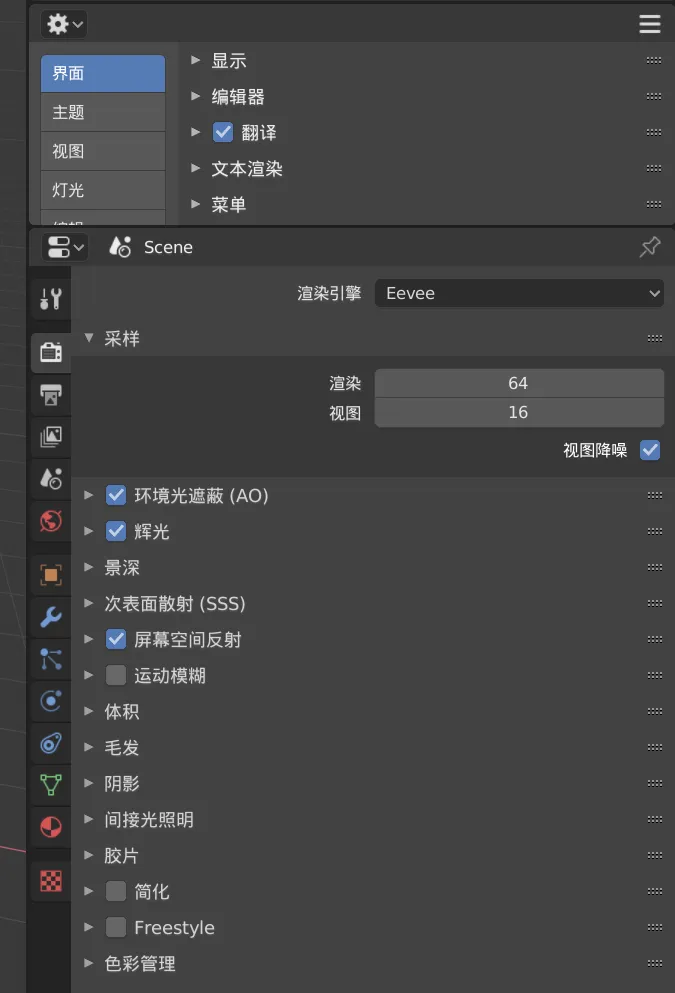
- Click it again to disable translation.
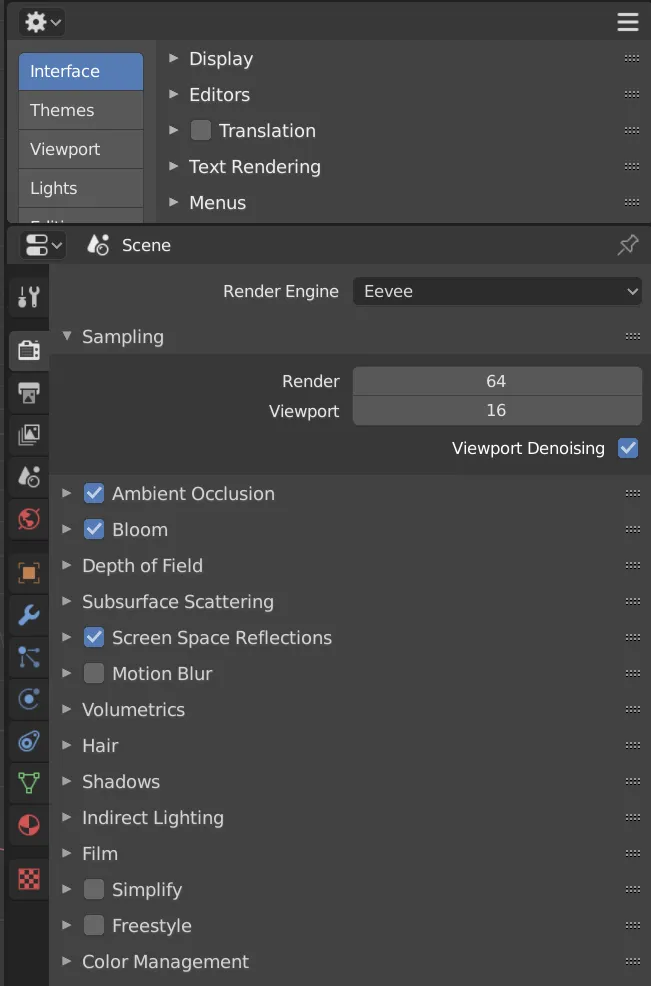
You can also only enable Tooltips in Translation, keeping the UI in English. If you don’t understand something, hover over it and you’ll see a Chinese explanation.
This makes it easier to follow English tutorials.
Using English software isn’t hard. You just need to learn some domain-specific terms and get used to them over time.
Watching foreign creators on YouTube often comes with auto-generated subtitles; even if you don’t fully understand, you can follow along with the English UI and learn from their workflow. Watch enough and you’ll get it.
Hope this helps.
Comments