I tinkered with V2Ray, and after finishing, I wanted to try using it without a GUI.
Goal: start wv2ray.exe automatically on boot, and be able to control it via the command line.
I looked around and found you can wrap a program as a service.
Steps:
- Download nssm https://nssm.cc/ci/nssm-2.24-101-g897c7ad.zip
- Open
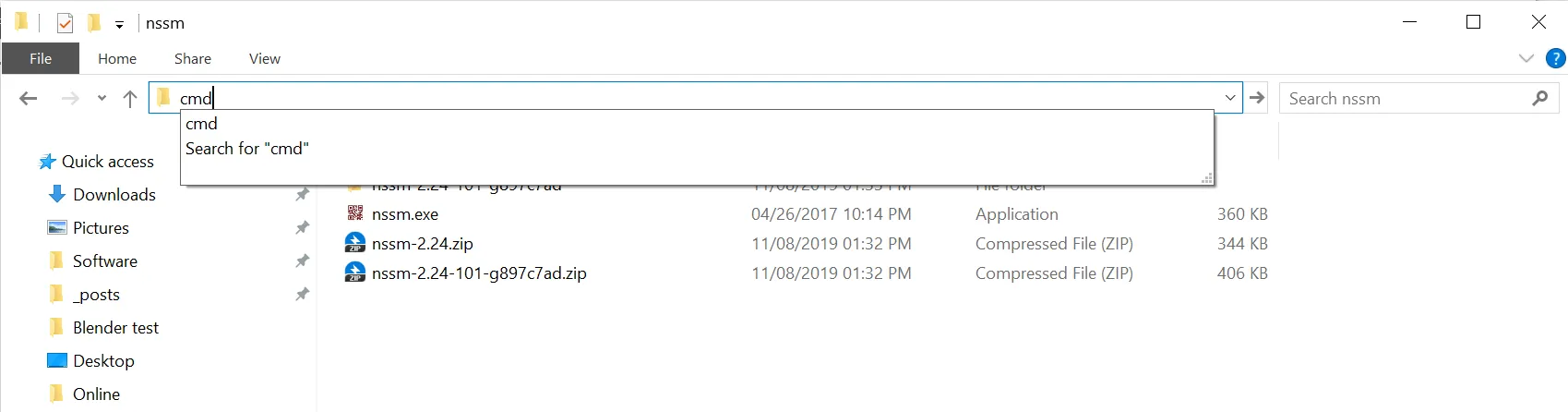
cmdin the folder wherenssm.exeis located, and runnssm install v2raynssm install service_name: since you’ll type thisservice_nameoften, keep it short. I usedv2ray, sonssm install v2rayis fine.- I used to do
Windows + R->cmd, thencdto the target dir. Later I learned you can typecmddirectly in the folder address bar…
- In the popup, set the path to
wv2ray.exe, then clickinstall service
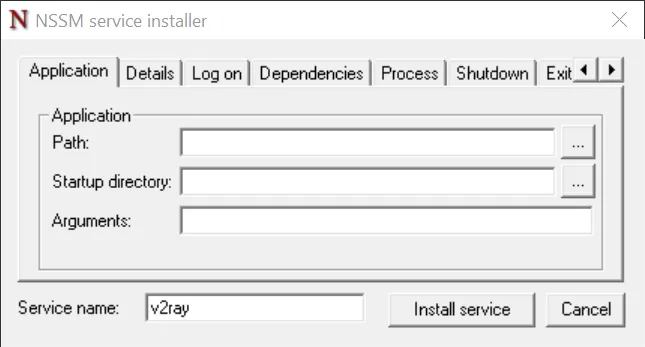
Win + R->services.msc, find the service you just registered, set it to auto-start, and start it- 2019/12/18 update
You can choose the startup type in the second tab of the program. Pick as needed.
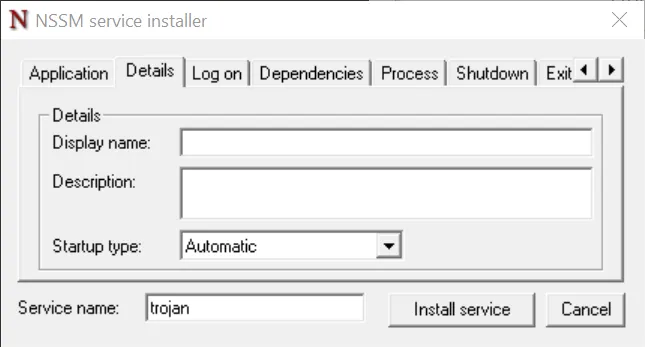
- 2019/12/18 update
- Now V2Ray can start on boot
- Common commands
sc query v2raycheck statussc stop v2raystop V2Ray (admin required)sc start v2raystart V2Ray (admin required)
References:
使用nssm将cmd命令或.exe执行文件封装成Windows服务
NSSM - the Non-Sucking Service Manager - Usage
Windows 10 封装普通EXE为系统服务
When using V2Ray, Google Drive Sync can’t go through the proxy the way it did with SSR. I still don’t know how to fix it.
请问关于电脑应用走v2ray代理的问题(谷歌同步软件googledrivesync)
Comments