A small trick (not even a trick). Blender has this built in.
How
- Add a plane, enter Edit Mode, and scale it up (just to make it easier to see the effect; any factor works, e.g. 8x)
- Subdivide 100 times (you need enough subdivisions for displacement)
- In Object Mode, add a Subdivision Surface modifier: set viewport subdivisions to about 3-4 (render can be higher)
- Add a Displace modifier and create a new texture
- In the Texture panel, set the type to
Distorted Noise - Set both
Noise BasisandDistortiontoCell Noise Amountcontrols randomness of pixel size;Sizecontrols overall texture scale- Texture settings:
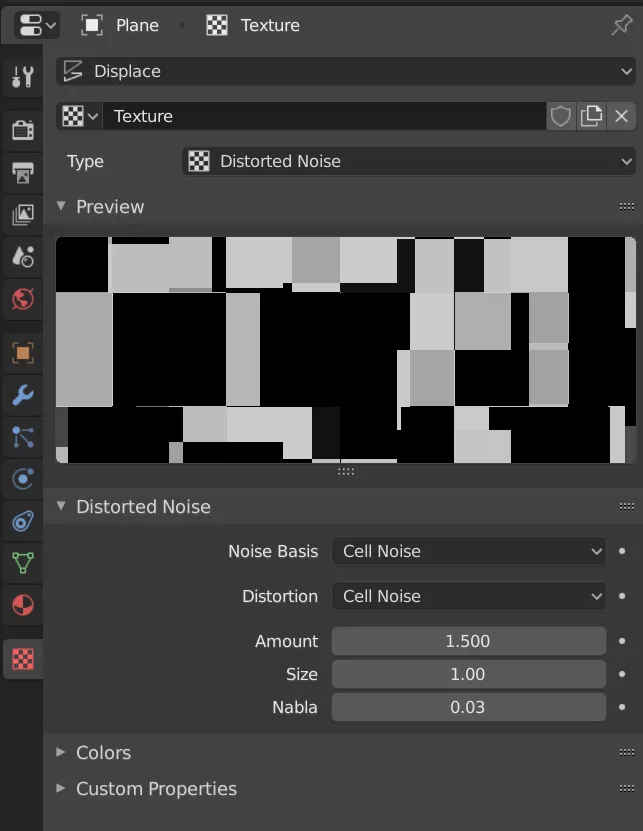
- Texture settings:
- In the Displace modifier, use
Strengthto control displacement intensity
With the plane scaled 8x, subdivisions 100, Subdivision modifier 3, Displace Strength 0.5, texture Amount 1.5, and Size 1, the effect looks like:
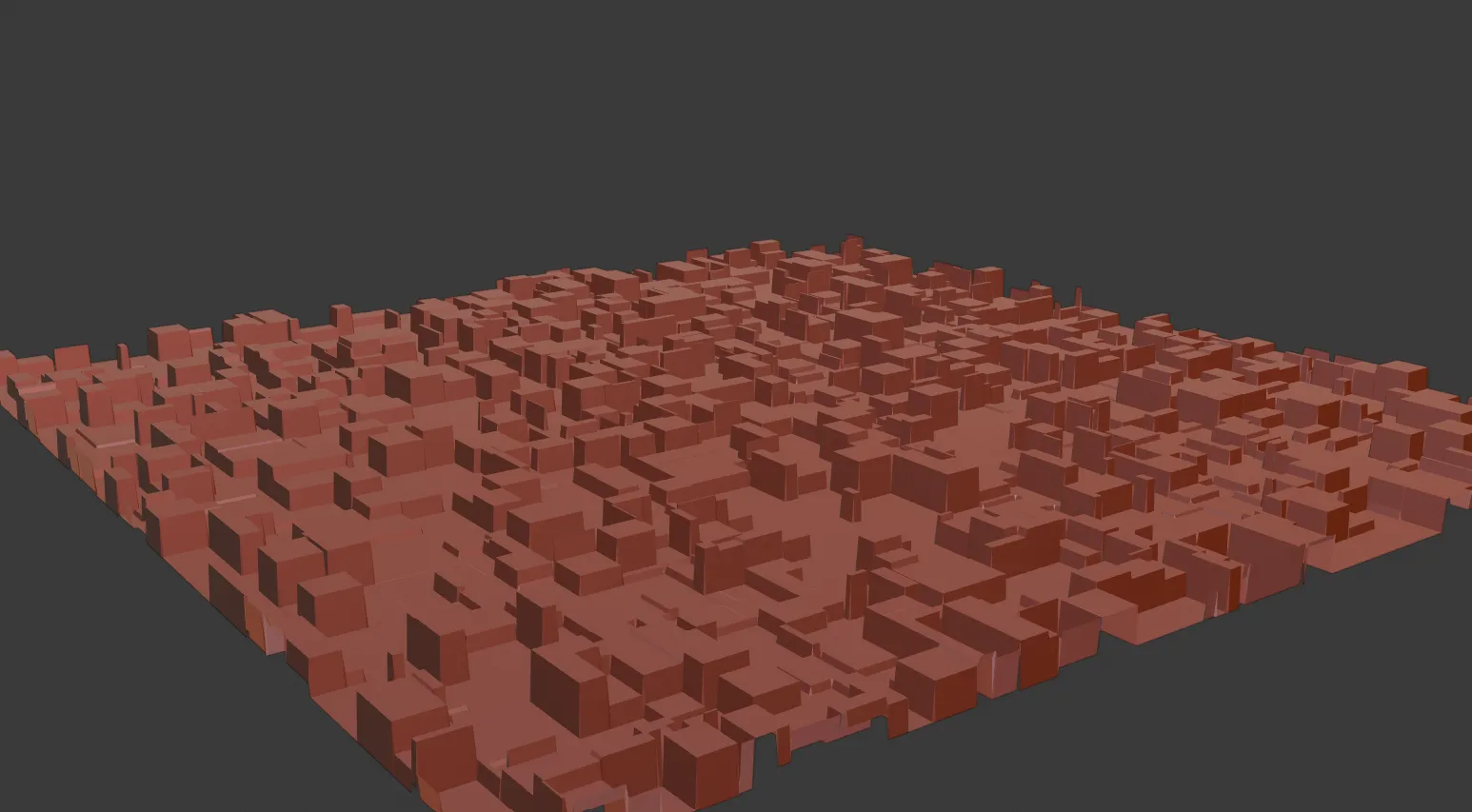
Of course, using JSplacement to generate textures is more flexible. The above is just one idea for doing displacement using Blender’s built-in procedural textures.
Comments